
Extract the zipped package downloaded from ThemeForest to your desktop. In the extracted package you will find the howto.zip file which is an installable WordPress theme.
You can install the theme in two different ways:
WordPress theme uploader
Navigate to Appearance -> Themes to access the theme uploader screen and use the howto.zip file.
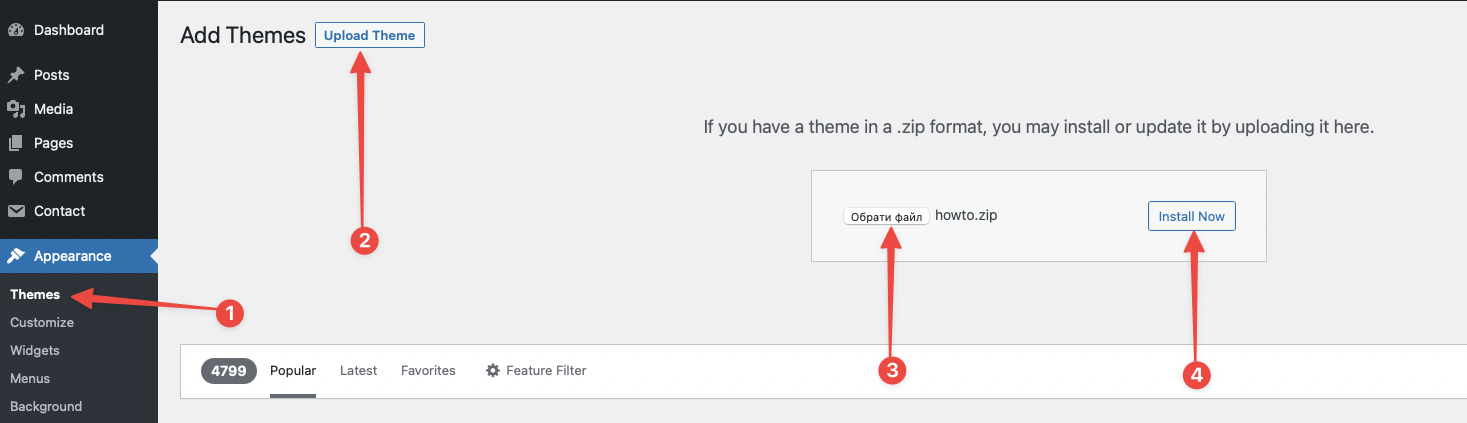
After uploading the theme, you have to activate it. Navigate to Appearance -> Themes page to activate the theme.