
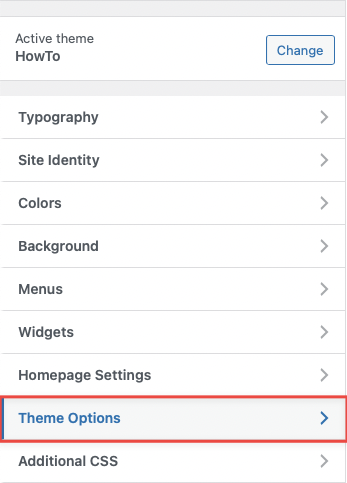
WordPress Theme HowTo comes with a comprehensive set of options that you can manage within the WordPress live customizer panel. Once you go to Appearance -> Customize, you will be able to see the main tab which opens the HowTo theme settings (besides the default sections that come with WordPress by default).
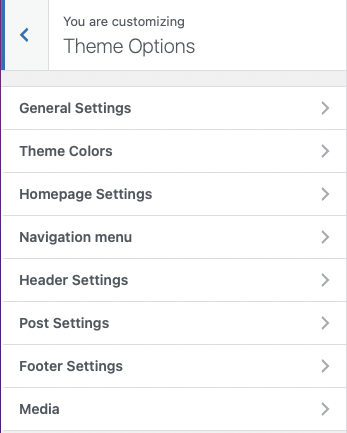
Once you open the panel, all settings are further divided into logical sections for easy management (see the image below).
Note that some of the options have an impact on your website globally while some are related to a specific template or a spot only. So, make sure that you are looking at the right place on the website if you want to see the live preview of the changes. For example, open one of your posts/articles if you are currently changing the “Post Settings” section.
In the following list, you can find the description of each particular section.
General Settings
You can set how to display pages of the website
Theme Colors
General options to manage the colors of general that belong to the main website content, like text colors, backgrounds, etc…
Homepage Settings
HowTo Homepage displays the categories and subcategories, for more guidelines for creating a homepage please refer to Home Page
Navigation Menu
You can set the style of the main menu as the background, colors, etc…
Header Settings
In this section, you can find all of the options related to your website header where are the search form and breadcrumbs
Post Settings
Set the extra elements in single post
Footer Settings
In this section, you can find all of the options related to your website’s footer, such as copyright text and style
Media
In the section, you can add the image for the 404 error page