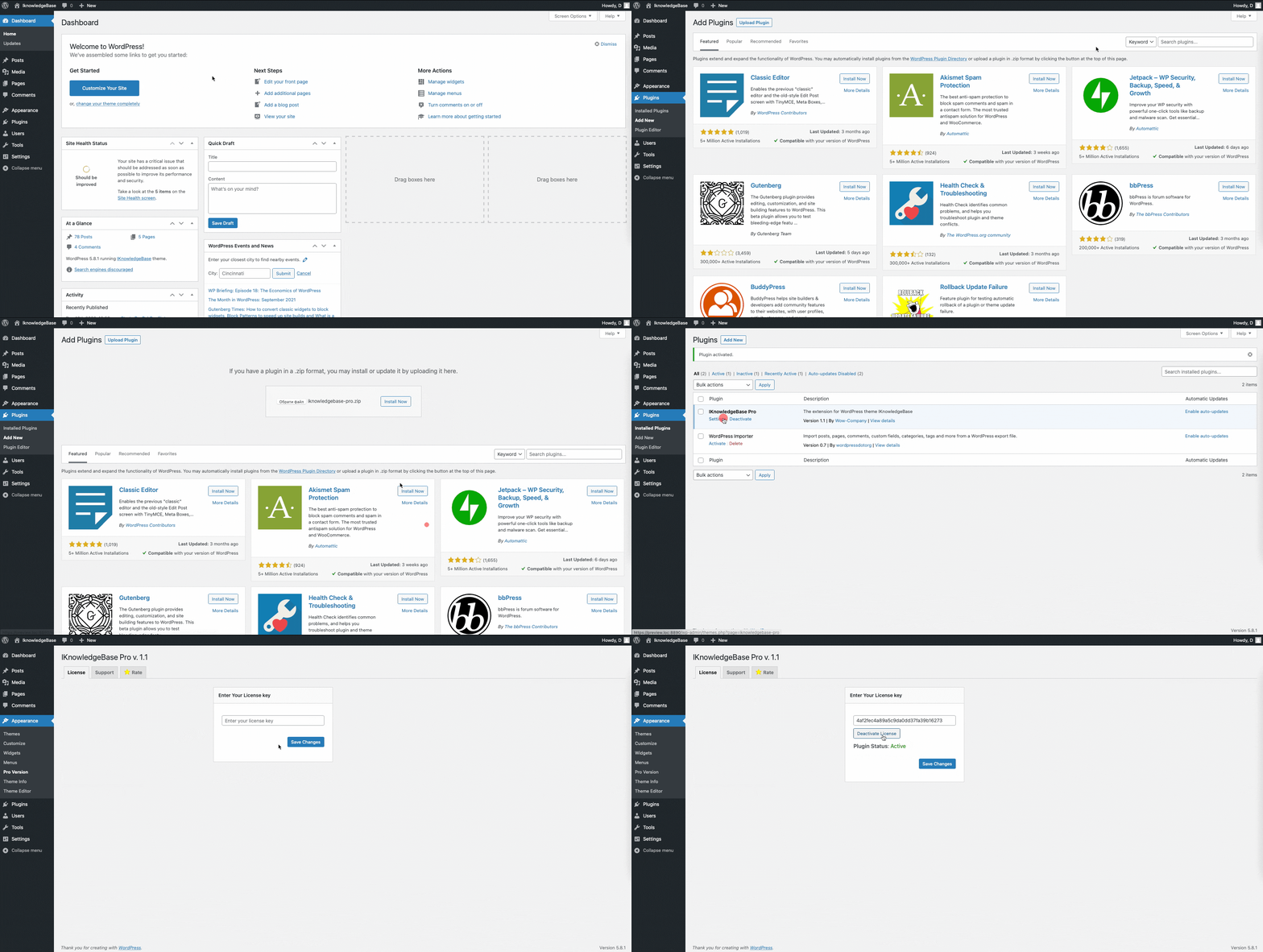
- The process is just like installing a normal plugin. In your WordPress dashboard, go to Plugins → Add New.
- From there you’ll see an option for Upload Plugin.
- Use the file chooser, navigate your computer files, and select the ZIP file for your downloaded plugin.
- Once it’s uploaded, click the “Activate” link.
- Go to the plugin ‘Settings’
- Enter your license key and click ‘Save‘
- After saving the license key, you have to activate it